Introduction :
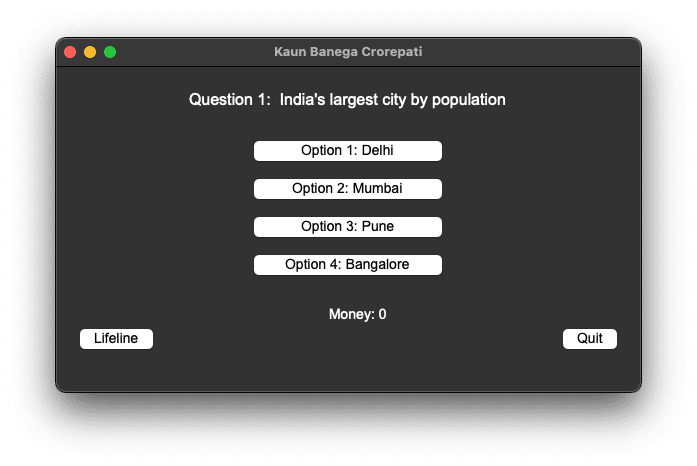
Welcome to this blog post on building a “Kaun Banega Crorepati” (KBC) game using Python! This KBC game is developed with the Tkinter library, a standard GUI toolkit in Python, to create an interactive and engaging experience that mimics the popular TV quiz show. The game offers a series of multiple-choice questions that players must answer correctly to win increasing amounts of money.
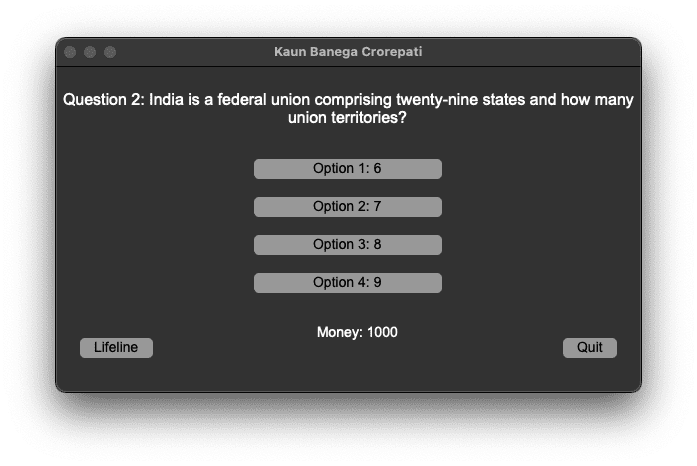
In this game, players answer questions to win money, with each correct answer increasing their prize amount. The game includes lifelines, such as the ability to eliminate two incorrect options, adding an extra layer of strategy and excitement. Additionally, players can choose to quit the game at any point and keep the money they have won.
This Python-based KBC game is an excellent way to practice your programming skills, learn more about the Tkinter library, and enjoy a fun quiz game with friends and family!
Required Packages or Modules :
To create the KBC game, we need the following Python modules and packages:
- Tkinter: This is a built-in Python module used for creating the graphical user interface (GUI). It provides various widgets like buttons, labels, and message boxes, which are essential for building the game interface.
- Installation (if not pre-installed):
messagebox: A submodule of Tkinter, messagebox provides functions to create various types of message boxes (such as informational, warning, or error dialogs). It is included with Tkinter, so no separate installation is required.
questions: This is a custom Python module that should contain the list of questions for the game. Ensure that this module is present in the same directory as your main script.
How to Run the Code
To run the KBC game on your computer, follow these steps:
Download the Code
Copy the provided Python code for the KBC game into a file named kbc_game.py. Ensure you also have a file named questions.py containing the quiz questions.
Set Up the questions.py Module:
Create a Python file named questions.py with a list of dictionaries, where each dictionary represents a question. An example format for the questions.py file is:
Run the Code:
Command Prompt:
- Open the command prompt and navigate to the directory where
kbc_game.pyis located using thecdcommand. - Run the code by typing:
Code Editor:
- Open the file in your preferred code editor (such as Visual Studio Code or PyCharm) and click the “Run” or “Play” button to execute
kbc_game.py.
Code Explanation:
The KBC game is structured with several key components, each playing an essential role in the game’s functionality. Let’s break down the main parts:
1. Initialising the Game Class:
The KBCGame class initializes the game by setting up the main window, game variables like the current question, money won, and lifeline usage status. It also calls functions to set up the GUI and load the first question.
2. Setting Up the GUI:
This function sets up the graphical interface for the game, including the question label, option buttons, lifeline button, quit button, and a money label to display the current amount won.
3. Loading the Questions:
This function loads the current question from the QUESTIONS module and updates the GUI elements accordingly. If all questions are answered, it ends the game.
4. Checking the Answer:
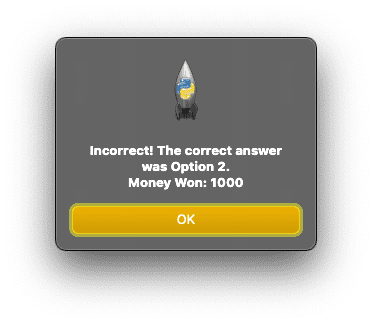
This function checks whether the selected option matches the correct answer. If correct, it updates the money won and loads the next question. If incorrect, it ends the game.
5. Using a Lifeline:
This function allows the player to use a lifeline to eliminate two incorrect options. The lifeline can only be used once.
6. Quitting the Game:
7. Ending the Game:
These functions handle quitting and ending the game, displaying a message box with the final amount won.
Source Code :
Kbc.py
Questions.py
Output :